Blog

  • Sony Xperia Enters the Smart Home Realm

    Sony Xperia Enters the Smart Home Realm

    Sony knows exactly what you’ve been thinking—how can we make our homes smarter? It’s no longer enough for them to limit themselves to helping us stay entertained during our leisure hours; they’re now determined to improve our productivity as well.

    Enter the Sony Xperia Ear, Xperia Agent, and Xperia Projector. All of these products are designed to help you stay organized and effectively manage everyday tasks, but they do so in different ways.

    The Xperia Ear is basically the latest product in the electronic personal assistant trend. From its convenient place in your ear, this device can search for things on the web, read your text messages out loud, and communicate with your other smart devices. Since it’s easy to take with you wherever you go and is built to comprehend voice commands with astounding accuracy, it seems to have some distinct advantages over other electronic personal assistants currently on the market.

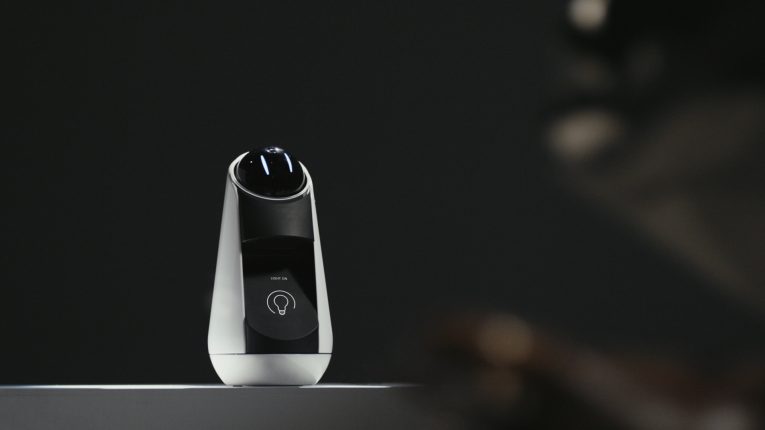
    Next is the Xperia agent. Imagine if you lived in a mansion and had a virtual butler. That butler would be the Xperia agent. Programmed with a charming personality, it efficiently centralizes all of your smart devices, controlling and managing them according to your desires and whims.

    As for the Xperia Projector, its purpose to let you turn into just about any space into your own personal computer. After placing it on a flat surface, all you have to do is connect it to your smartphone, and then it can project an image of your keyboard on which you can type. Of course, you can also use that projection to watch videos or surf the Internet.

    The point is that it’s versatile enough to be relevant in many common household tasks and activities. This means that if you’re not a fan of the small screen of a smartphone and/or you enjoy sharing what you’re doing with those around you, the projector will make it more convenient for you to do what you want.

    Clearly, if Sony has anything to say about it, the future will continue to run toward us at record speeds. Welcome home, smart homes.
     

  • Google Presents IoT OS Android Things

    As technology continues to becoming a defining factor in nearly every facet of life, the demand for fast and insightful improvements seems never-ending. When it comes to the gathering and exchanging of data, Google is practically unparalleled. It should come as no surprise, then, that they’ve further revolutionized the Internet of Things by presenting to us the Android Things.

    With this technology, Google will help its users employ Android to build IoT products without compromising security. Inspired by Project Brillo and utilizing the platform Weave, Android Things uses tools such as Android Studio, the Android Software Development Kit, Google Play Services, and Google Cloud Platform to make IoT easy.

    Semiconductor and telecommunications companies are already picking up on the new technology, including Qualcomm, which intends to update its Snapdragon processors to support it. The company looks forward to seeing a surge in participation from developers in regards to taking advantage of the opportunities offered by IoT.

    They’re hoping that Android Things will offer the perfect solution to the problems that developers and manufacturers face when trying to keep up with all the ways that devices are being connected nowadays.

    Thanks to the combined forces of cloud integration, optimization tools, and security reinforced by hardware upgrades, it looks like their dreams might just come true. With this technology, the IoT process should be improved to the point where it can be quickly scalable for a great value, considering the price.

    What does this mean for the rest of us? Well, as we mentioned earlier, it’s obvious to everyone that our world is increasingly emphasizing the importance of connecting everything. Once developers learn to use Android Things to its greatest capacity, we should find our IoT demands being met and even exceeded. Prepare to have everything constantly in tune with everything else—and all the implications that come with it.

  • Kidde Recalls Combined Fire and Smoke Alarm

    Kidde Recalls Combined Fire and Smoke Alarm

    For the safety-conscious, a combined alarm for both smoke and carbon monoxide is a necessary tool in the home. After all, according to the National Fire Protection Association, seven people die each year from house fires. Forbes also reports that between 20,000 and 30,000 people are poisoned by carbon monoxide annually, with about 500 of those incidents ending in death, usually at home.

    What’s worse than these statistics is the fact that most people wouldn’t even be aware of a problem until it was too late, at least not without the help of alarms. House fires have a way of getting out of control rather quickly, and carbon monoxide is infamous for its ability to kill without its victims even noticing it.

    Knowing that your alarm can warn you of danger well before any real damage is done is a crucial comfort. Of course, knowing that the alarm is working is even better.

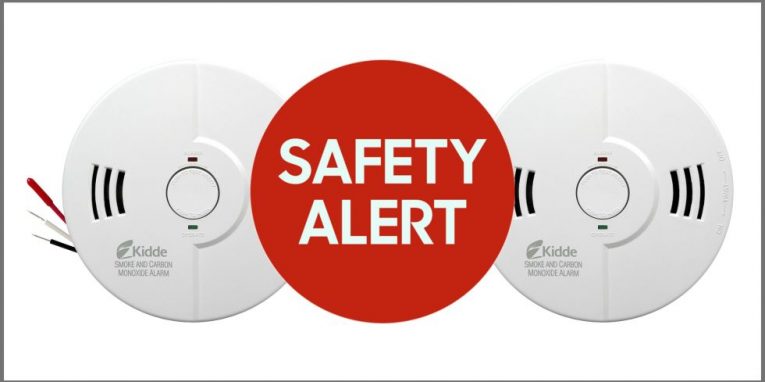
    Unfortunately, that was not the case with the Kidde Nighthawk alarm, model KN-COSM-IB. Manufactured between June 1st, 2004 and December 31st, 2010, these alarms were recalled because once their battery life ended after seven years, they would no longer chirp once the batteries were replaced.

    About 3.6 million units (in addition to 1.5 million in Canada) were sold before the malfunction was discovered. Luckily, although eight reports were submitted regarding the problem, no injuries occurred before the recall.

    The items were sold through Amazon and brick-and-mortar distributors nationwide between June 2004 and December 2010. Regardless of where or when they were bought, consumers were advised to stop using them right away and ask Kidde for a replacement as soon as possible.

    This serves as a great reminder that it’s not a good idea to just buy an alarm like this and then think that all of your problems are solved. Be diligent about checking items like these to make sure that they’re working. Otherwise, what’s the point in buying them?

  • Skybell HD Video Doorbell Review

    Skybell HD Video Doorbell Review

    Skybell HD Video Doorbell Review

    In this day in age, unfortunately, the world doesn’t seem to be as safe as it used to be.  We as homeowners have been forced to take the safety of our families and possessions into our own hands.  Thankfully technology has kept up with the security needs of today!

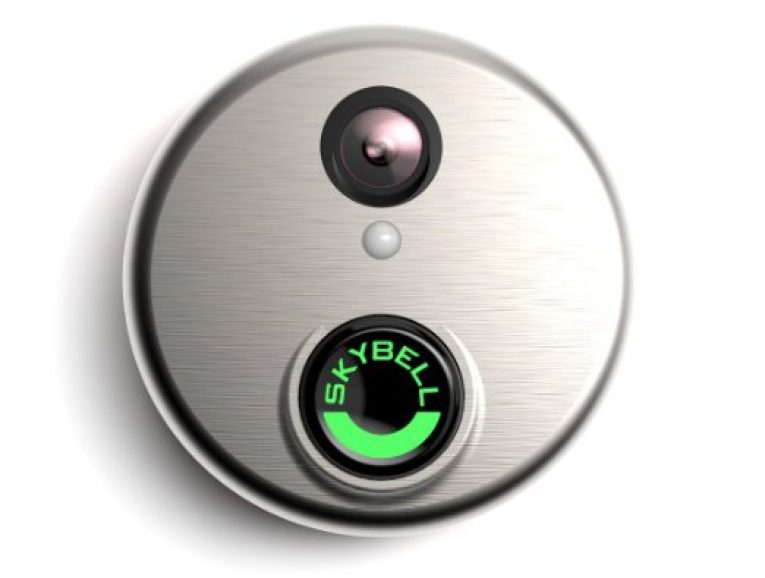
    One of the companies leading the way in home security is Skybell.  Today, we will be doing a review of the Skybell HD Video Doorbell. This doorbell can stream 1080p high definition video of visitors of all kind on your front steps right to your smartphone or tablet!  That’s pretty amazing, but there are lots of HD video doorbells on the market today that can take pictures of visitors at your door.  How do you know this specific Skybell doorbell is the one for you?


    What We Loved

    The Skybell HD Video Doorbell, has a lot of great qualities that set it apart from its competitors.  Here’s our list of its greatest assets:

    1. Automatic Photos – This is our favorite thing about this doorbell compared to its competitors. The Skybell doorbell not only takes pictures when someone rings your doorbell, but it uses motion sensor technology to capture and stream the image of anyone (or anything) at your door.  Now you can catch those pesky raccoons red-handed in your trash or stop a would-be burglar in his tracks without any buttons needing to be pressed.
    2. 5X Zoom – This is an issue that to us is often overlooked but Skybell got it right. Many other doorbells on the market only zoom at 1X, which is enough to capture a face right at your door, but what about a face at your mailbox or a license plate of a suspicious vehicle?  The 5X zoom on the Skybell HD Video Doorbell allows for a full view of the front of your home.  This in my opinion makes it as good a security camera!
    3. Monitoring & Recording – Skybell strikes again! The monitoring and recording functions of this doorbell also set it apart from the rest.  At any moment, without triggering motion sensors activating the doorbell, you can live stream the video feed right to your phone.  This gives you complete control over your home, knowing at any time who may be in the driveway or coming up to the door.  And if the button is pressed or motion sensor is triggered, Skybell records and stores the video on a cloud server until you are able to go over the footage yourself.
    4. Night Vision – A simple but very useful characteristic of the Skybell HD Video Doorbell, night vision is a no-brainer for me when it comes to home security cameras, even on the doorbell. Nighttime is when we are all more vulnerable, and it would be a waste, in our opinion, to invest in a doorbell camera without it.
    5. Built-in Speaker – Last, but certainly not least, is the built in speaker that comes standard with this device. Now you can speak to anyone that’s at your door, whether it is a complete stranger or a door-to-door salesman who won’t leave you alone.  On the flipside, it’s great if the pizza deliveryman is early and you’re still in your bathrobe. Not only that, but the person at your door can talk right back!  The ability to have full exchanges with anyone at your door without opening it gives a huge boost to the overall effectiveness of this device. We give this feature a huge thumbs-up!

    The Skybell HD video doorbell has a lot of fantastic features, but there is one negative that you should definitely keep in mind before you purchase…

    What We Didn’t Love

    This doorbell has one flaw that we have to mention.  It seems that a very strong Wi-Fi signal (as high as 95% strength) is needed for reliable streaming of your video feed.  That being said, this is not reason enough to choose a different doorbell for your home security requirements.  If anything we think it’s a reason to go out and buy a new router!  All kidding aside, make sure to test your router’s signal strength before buying so you can have access to this video doorbell’s HD video stream.

    [quick_offer id=1792]

    Our Verdict

    We hope this Skybell HD Video Doorbell review was helpful to you in your quest for a more secure home.  We highly recommend this product to anyone attempting to beef up their home security system and don’t forget that upgrading your Wi-Fi in order to gain access to all the upsides of this doorbell would be worth the investment.

    That being said, you should take the safety of your family and possessions very seriously!  Shop around and read customer reviews like this one to find out which one is best for you.  If you’re asking us, though, for the price, the Skybell HD video doorbell is worth every penny.  Go get yours today!

  • Mark Zuckerberg Presents Jarvis AI

    Mark Zuckerberg Presents Jarvis AI

    Mark Zuckerberg‘s demo of the Jarvis AI

    We are very excited to see what Jarvis has to offer

  • Z-Wave Alliance increases security requirements in home automation products

    Z-Wave Alliance increases security requirements in home automation products

    Chances are if you’re a home automat enthusiast, you also have an interest to some extent in home security, whether it be Security Cameras, upgraded firewalls, advanced locking mechanisms on your doors or simply an alert that tells you when a sensor has been tripped.

    Now if this describes you as a security enthusiast and you own Z-Wave products, you’re in luck. Recently, Z-Wave Alliance announced new security requirements for all IoT (Internet of Things) devices that follow its standards.

    The announcement states that any device receiving Z-Wave Certification after April of 2017 must include the newest Security 2 or S2 framework which is considered the industry’s strongest level of IoT security.

    This update will mostly effect controllers, hubs, gateways and other smart-home devices.


  • Belkin WeMo Light Switch Review

    Belkin WeMo Light Switch Review

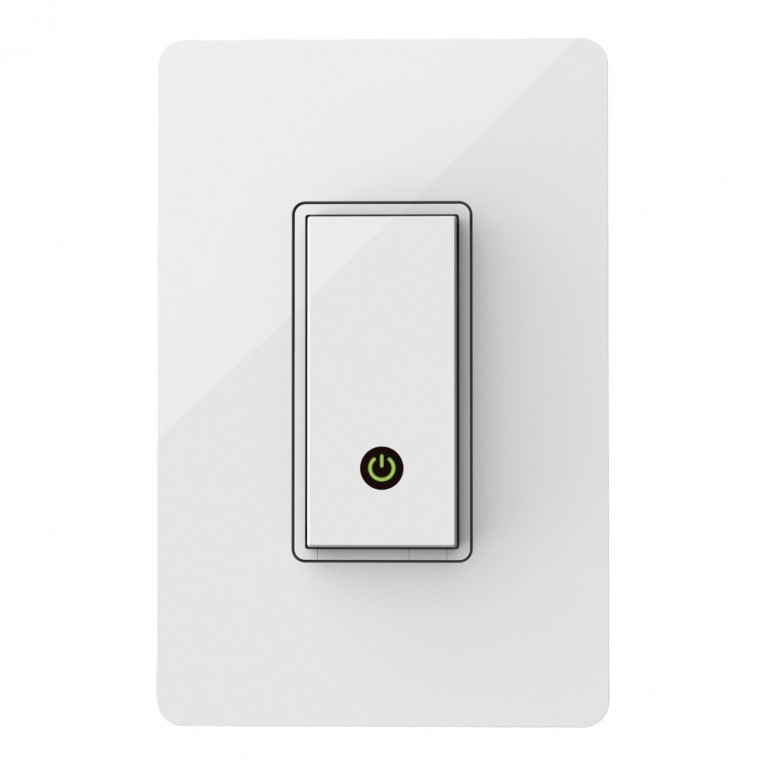
    The Belkin WeMo light switch is exactly what you would expect from a well-rounded home automation light switch. It’s compatible with most of today’s top smart home hubs including Echo, SmartThings, and Harmony which is great for us who already have a home automation system up and running, otherwise you can connect directly to your Wi-Fi and still get all the features of a remote lighting solution. Beautifully designed this switch currently only comes in white and operates when you tap the push button that illuminates a power light letting you know your switch is on.

    Once up and running you not only have the ability to operate your lights from anywhere in the world using your smartphone and tablet, but you also have the ability to assign a lighting schedule for each switch and through the use of IFTTT have specific lights automatically turn on when you enter your home. Some users have gotten creative with the IFTTT features and setup the network to send them a text if they left the house and didn’t turn off all the lights in an attempt to save energy. The price tag, on the other hand, is just high enough at $50 to scare off some of the most frugal consumers, although we were able to find it for $38 which is listed below and is probably the best deal you’re going to currently get. Considering the price tag we would like to see a few more features in the future that are not currently available like dimming capabilities and the ability to operate the switch from our Windows PC.

    [quick_offer id=1571]

    Installation & Setup

    The installation is simple and shouldn’t take more than 15 minutes. If you’re not comfortable with the fact of wiring your own switch then we suggest finding a family member or friend to do it for you, whatever route you take just don’t forget to turn off the power from your circuit break before starting. For more information on how to do it yourself, feel free to watch the installation video provided by WeMo. Another thing to keep in mind before even purchasing the switch is that this switch is compatible with any one-way connection lights, but not compatible with three-way connection lights so be sure to check your current switch before ordering. It’s also recommended to use the face plate that is included with the switch or you can use a plastic plate, just try and avoid metal face plates as they may interfere with the Wi-Fi signal. All together installation is as easy as turning off your breaker, removing your old switch and connecting the new one.

    After installation is where a few users have had issues. It’s been reported that connecting the switch to the Wi-Fi and software can be glitchy with the users having to try several times to get the switch connected to the network through the app, but once completely installed no problems have been reported and the switch operates smoothly. At this point, you may want to take the time to become familiar with the app, setup your IFTTT recipes and lighting schedules.

    [quick_offer id=1571]

    Amazon Customer Reviews:

    [scrapeazon asin=”B00DGEGJ02″ width=”960″ height=”600″ border=”false” country=”US”]

    [wpsm_specification]

    To conclude our Belkin WeMo light switch review it’s a little disappointing it doesn’t have dimmer capabilities considering the high price tag but keep in mind it’s very cross-compatible with other products, simple to install, nicely designed and works with both your iOS and Android device. So if you have the money to spend we say go for it, your going to get everything you’d expect from a smart home light switch.

    [review]

  • GE Z-Wave Wireless Lighting Control and Appliance Module Review

    GE Z-Wave Wireless Lighting Control and Appliance Module Review

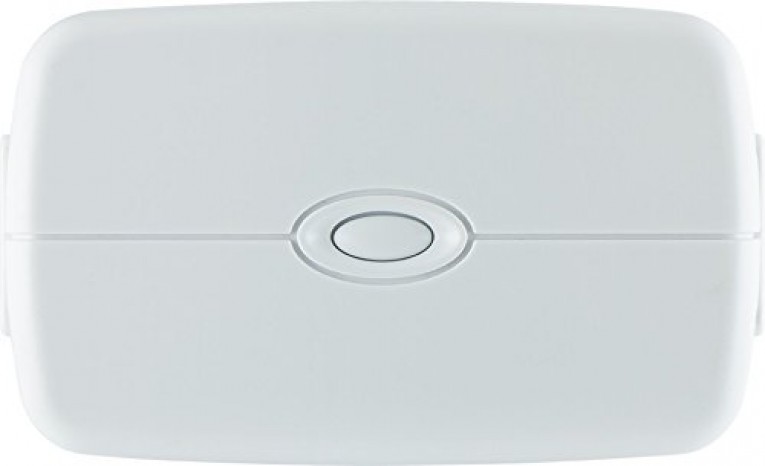
    Today we had a chance to review the GE Z-Wave Wireless Lighting Control and Appliance Module to see how it stacks up to its counterparts of Z-Wave energy switches and it did well. Recently we reviewed the Aeon Labs Z-Wave Smart Energy Switch which had an amazing durable design and a very low price, so going into reviewing another Z-Wave energy switch we had a little skepticism, still this switch did not disappoint! Unlike many of its competitors, this switch contains 2 outlets which can help justify the price when you don’t have to purchase two switches. For us the design is a little bulky but it’s still built not to block your lower outlet. The three prong plug is rated to handle up to 600 watts which is enough to handle your average table lamp but is much less that of the Aeon Labs Z-Wave Smart Energy Switch which can handle 1875W at 15A, you won’t be switching on or off any AC units or heaters.

    [quick_offer id=1447]

    As with any Z-Wave certified device, this will easily connect with your Z-Wave controllers like ADT Pulse, Nexia Home Intelligence, SmartThings Home and Wink controller by the push of just an “Add Device” and the built-in button. Although this is a very popular device with lots of positive reviews from customers who have made the purchase, one thing that is noted is this switch does not give you the option to dim your lighting, even though it is target toward the lighting market. Also, like many Z-Wave devices, this can act as a repeater to grow your mesh network. If you have another Z-Wave device that is out of reach of your hub, this switch will repeat the signal from the hub so you can control your device that was out of distance. All together this is a great device with many very satisfied customers with an average user rating of 4.5/5 and it will make a great addition to your smart home.

    [wpsm_specification]

    [review]

  • Neato Botvac D75 / D80 / D85 Review

    Neato Botvac D75 / D80 / D85 Review

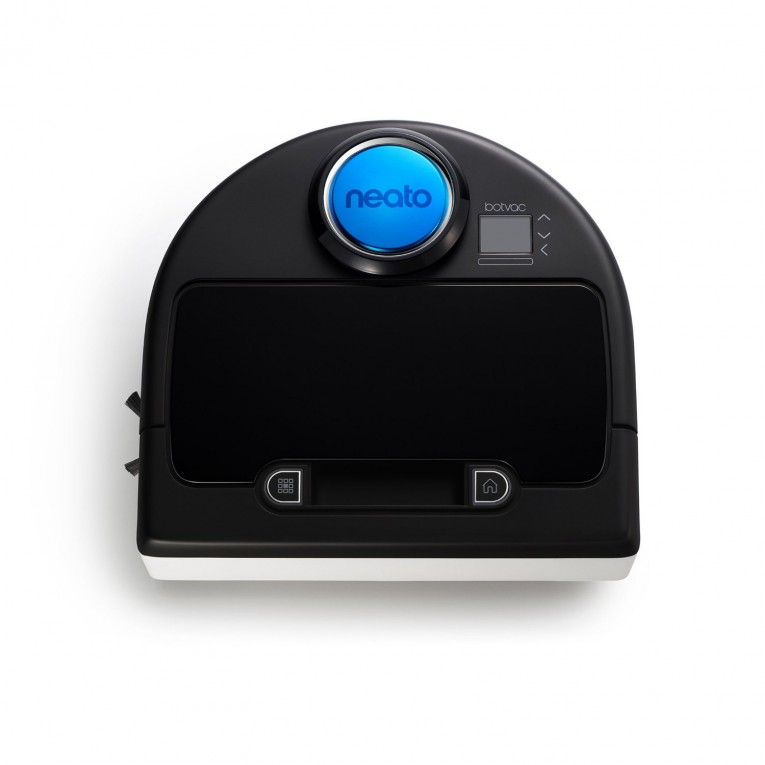
    When people think robotic vacuums the first thing to come to mind more often than not is the Roomba and they are quick to dismiss many of it’s competitors, not this time. For many reasons the Neato robotic vacuums are taking the lead, especially when it comes to the D series. This smart little guy comes loaded with features including autonomous charging, laser-guided room mapping, extra-large dirt bin and precise edge technology giving it the ability to clean corners better than most other robot vacuums.

    The Neato robots are also known for their ability to map out rooms quicker due to it’s patented Naeto Botvision that for the most part maps the edges of the room first before cleaning the center area unlike it’s counter-parts that seems to randomly zig-zag across the room for it’s mapping causing the robot to go over some areas multiple times. This technique not only saves time but also allows to robot to create those parallel vacuum lines everyone loves after a fresh vacuuming.

    [quick_offer id=1426]

    Features and design

    Now if you have used Neato’s later models like the Neato’s Botvac 85 then you should be familiar with the LCD screen. The difference now is that the screen is color and more sensitive controls. Other upgrades from it’s later models include a more capacity for dust collection at 24 oz (0.7 liters), reduced noise levels and more efficient bristles and brushes that are not only 50% larger but also can be easily detached for fast replacement. The new filters in combination with the new SpinFlow power clean system also allows for better air flow when capturing debris and dirt thus better performance and battery life. The batteries themselves are made of a nickle metal hybrid and are capable of charging at both 110v and 220v. When on standby the robots power consumption is 1w and 2w when charging.

    Amazon User Reviews:

    [wpsm_specification]

    Another notable feature mentioned earlier is the Naeto’s D shape that separates its self from the competition by getting into corners better than the other round robots. Now some drawbacks on later model robots included having trouble with stairs, this is another issue the D serieshas overcome by having the ability to avoid falling down stairs by simply stopping and turning around and adding the stairs to it’s map.

    Some available accessories include hyper allergenic filters that catch those small particles for people sensitive to allergens. Boundary markers are also available to tape off areas you may not your robot to go like the dog bowl area or kids room with legos everywhere. One more useful accessory is the specialized brushes. The combo brush is designed to operate on several types of flooring while providing improved suction for pet hair and reduced noise on hardwood floors. Other brushes include the D series side brush the cleans corners and edges more effectively, and the spiral blade that cleans hardwood floors with less noise than the brush options.

    To wrap up our Neato Botvac D75 / D80 / D85 review with a final thought, the new D seris by Neato really came out ahead of the competition when it comes to both price and performance. With some of the other robotic vacuums costing more than twice as much at $1200, we think this is a steal. The only decision is which model will work best for you. If you live in a small apartment and have no pets the D75 should do just fine. Anything larger or if you have a lot of pet hair then you will need to start looking into the D80 or D85 while considering the special brushes to tackle that hair.

    [review]

  • Aeon Labs Z-Wave Smart Energy Switch Review

    Aeon Labs Z-Wave Smart Energy Switch Review

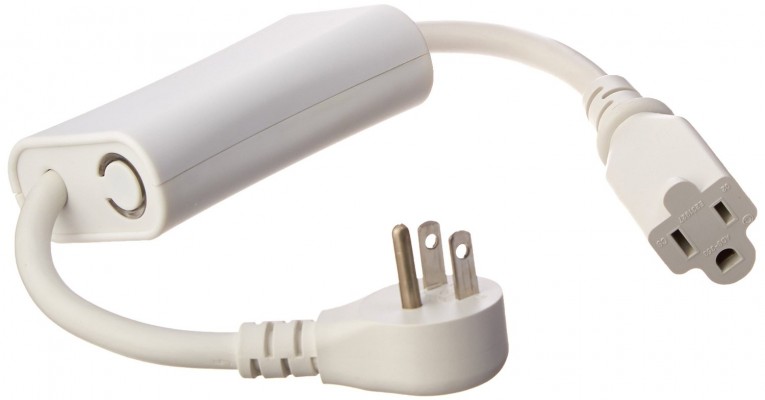
    We had the opportunity to check out the buzz behind the Aeon Labs Z-Wave Smart Energy Switch and really figured out why so many customers love this product. The short version is, it’s simple, durable and does what is expected. This device gives you the ability to add Z-Wave wireless control to any plug-in appliance within 100 feet of your controller whether the Smartthings Hub, Wink Hub, Mi Casa Verde VeraLite or the Revolv home automation hub to name a few.
    [quick_offer id=1450]

    Along with supporting up to 1875W, 15A devices, the Aeon Labs Z-Wave Smart Energy Switch also serves as a repeater for your other Z-Wave devices. Why is this relevant and what does it mean? When a signal is transmitted from your console/hub, each signal only has so much strength to make it the distance necessary to your intended target. Let’s say you have a front porch light that is too far from your console/hub to receive a strong signal. Place this energy switch somewhere between the intended porch light and your hub and you have a repeater that will repeat, create a mesh network and strengthen the signal so it makes it to your porch. Many Z-Wave devices offer this ability; just make sure it’s an option before making the purchase if this is your intent.

    Amazon User Reviews:

    [wpsm_specification]

    The hardware itself is built to last, with a similar construction to that of heavy duty extension cord used on construction sites. Solid to the touch, the cables are thick but soft and the two ends are heavy duty, you should have no problems with wear and tear. The rest of the device is one solid build aside from the button on the side that illuminates when the switch is on. Setup is also a breeze, dependent on your hub you generally just need to search for a device from your controller then press the blue button on the switch to finish the setup. That’s it!

    [review]