Blog

  • GE Link Wireless A19 LED Light Bulb Review

    GE Link Wireless A19 LED Light Bulb Review

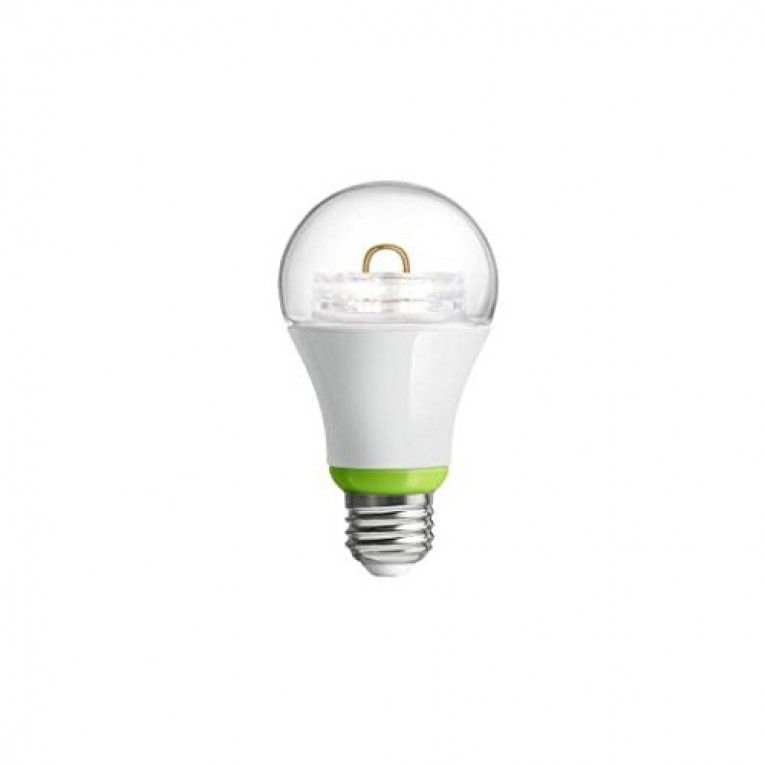
    The Wink compatible GE Link Wireless A19 light bulb fits right in with the rest of Wink’s line of budget friendly but rather glitchy smart home products. If you can get the bulb connected and to stay connected, this bulb gives a better color rendering than any other bulb within its price. Being compatible Quirky, Dropcam, Honeywell, Lutron and Amazon Echo it’ll serve its purpose providing 800 lumens of 2,700k soft white light for a lifespan of 25,000.
    [quick_offer id=1456]

    Unfortunately that’s about the extent of the GE A19 LED Light bulb. As mentioned its Wink compatible so as to be expected the Wink Hub is required. Unlike its counterparts it’s slightly less energy efficient, running 12 watts as compared to the 9-11 watt average within its category giving it an estimated yearly cost to run of a $1.45 (Based on 3 hours per day at $0.11 per kWh). On top of all this, it seems to be a pretty common occurrence for users to experience network failures and adding the bulb to the Wink network is a tedious task all in itself. It starts with having to physically turn on each light bulb, wait for the app to recognize it, then going through several help screens before moving onto the next bulb. As you can imagine, if you have a decent size house this can turn into a pretty daunting task.

    Amazon User Reviews:

    [wpsm_specification]

    Wrapping up our GE Link Wireless A19 LED Light Bulb review we would like to point out that although it’s catching some heat, we still recommend giving it a try if you are on a budget. It emits great lighting for any room, it is low cost and although some users have had difficulty during the setup, many users are very happy with the performance of this bulb. With smart home automation technology still on the rise, a few glitches here and there are to be expected. But after the initial setup, this bulb serves its purpose.
    [review]

  • Netatmo Weather Station Review

    Netatmo Weather Station Review

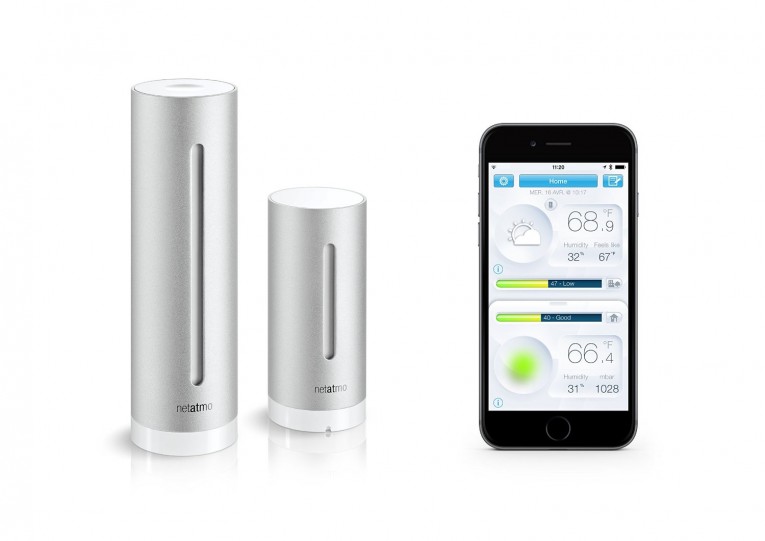
    The Netatmo Weather Station comes with two modules that monitor temperature, humidity, carbon dioxide, and noise levels both inside and outside your home. With a $149 price tag, you may need some justification on making the plunge into at home meteorology. Along with your two weather stations, you receive a lifetime free personal account for your data. Catching a lot of heat from other reviewers, many can’t justify the expensive price tag when much of this data is available through free smartphone apps from respectable weather monitoring services. We disagree. If you are in the market for at home weather stations then you already have your justifications and this will deliver.


    Easy setup through Wi-Fi, fully integrated with your IFTTT services, compatible with Apple Home Kit, Amazon Echo, Ubi, Philips, Lutron, Smart Things, Logitech and Vera, you are looking at a very well rounded weather station. For example, through the use of the VERA
    Netatmo plugin you’re able to close blinds based on your indoor temperatures, set windows to open or close depending on humidity and CO2 levels and control your garden irrigation on how much rain has fallen in the past 24 hours.

    [wpsm_divider top=”20px” bottom=”20px” style=”dotted”]

    [wpsm_column size=”one-half”][wpsm_pros title=”PROS:”]

    • Lots of data.
    • Easy to setup.
    • Accurate.

    [/wpsm_pros][/wpsm_column][wpsm_column size=”one-half” position=”last”][wpsm_cons title=”CONS:”]

    • Expensive.
    • Would like more functionality and customization from front LED.
    • Depending on where you live, much of the data is available through free weather apps.

    [/wpsm_cons][/wpsm_column]

    [wpsm_divider top=”20px” bottom=”20px” style=”dotted”]

    The Hardware

    The Netatmo weather modules are very nicely designed 6 inch (indoor) and 4 inch (outdoor) aluminum cylinders that contain the sensors required to record your data. Both cylinders have no buttons or dials, although the indoor sensor allows you to tap the top of your module when you wish to take a reading. Powering the indoor module is a Micro-USB port on the back and then two AAA batteries are included to power your outdoor module that needs to be replaced yearly.

    Setting up your system takes minutes. Plug in the USB, drop in the batteries and download the app. Once the app is installed it will walk you through the setup process, starting with copying your Wi-Fi settings from your phone to avoid having to choose a network and enter any passwords. After you finish the walk-through, the modules will give you a green glow of approval that they are ready to start tracking your local climate data. Altogether the setup takes just a few minutes.

    [quick_offer id=1453]

    The App
    81izLISPVJL._SL1500_

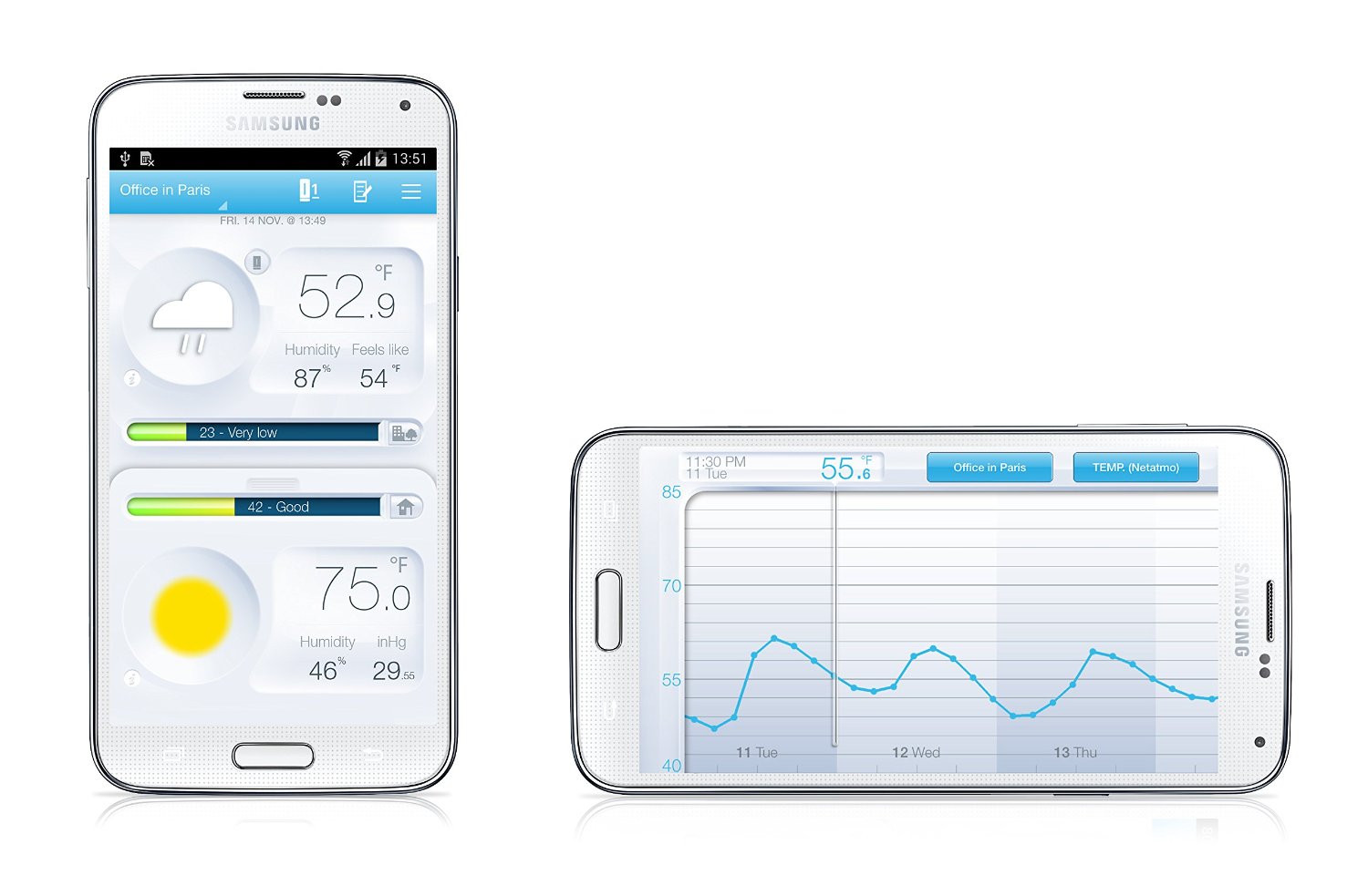
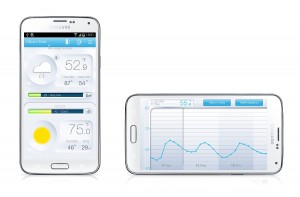
    The app itself is designed to deliver the mass amount of data as efficiently as possible. The visually appealing design presents your indoor and outdoor temperatures, humidity, CO2 and noise levels with the tablet version delivering your forecast on the same screen. Tilt your device over and now you have a graph displaying your historical data all in one simple gesture while giving you the ability to navigate with swipes and pinches. As mentioned the app also offers 7-day weather forecasting provided by MeteoGroup that will project all the necessary temperatures and rainfalls.
    To wrap up our Netatmo Weather Station Review we would like to note the increased functionality through IFTTT that holds limitless possibilities. We have come across users setting alerts to be sent to their smartphones when a temperature reaches a set limit, which can come in handy in say a wine cellar where you need to keep a consistent temperature. Anyone of Netatmo’s fourteen sensors can set off an IFTTT trigger allowing you to set rules for just about anything.

    Amazon User Reviews:

    [wpsm_specification]

    [review]
  • Kidde RF-SM-DC Wireless Smoke Alarm Review

    Kidde RF-SM-DC Wireless Smoke Alarm Review

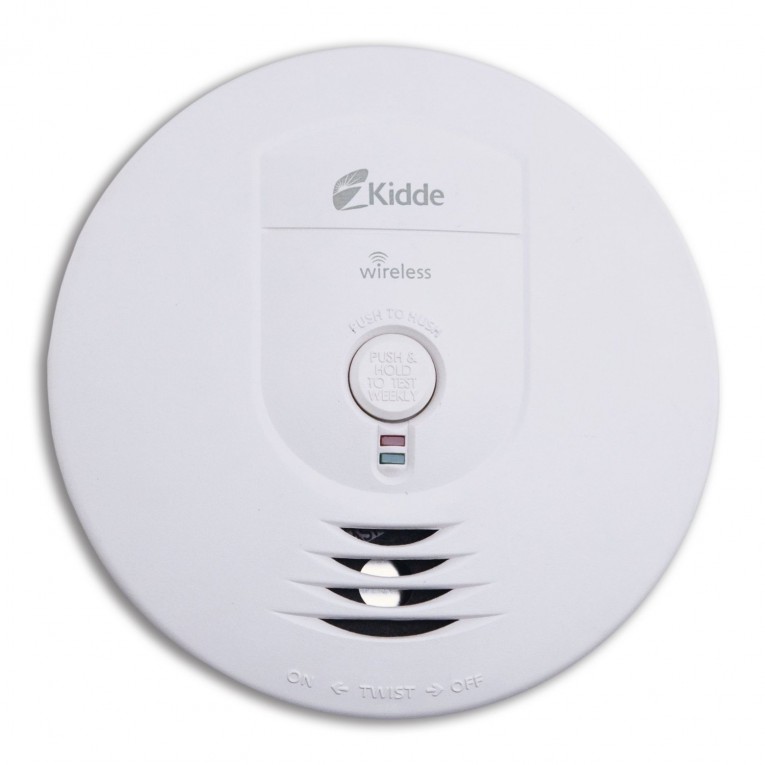
    The Kidde RF-SM-DC Wireless Smoke Alarm is really an amazing smoke detector based on not only our opinion but the hundreds of other reviews set by customers who already made the purchase. We also want to add that out of those hundreds of reviews we only found a single 1-star review. The major highlight of this alarm is the fact that it interconnects using a 433MHz radio frequency throughout your home to other Kidde Wireless Smoke Alarms. This especially comes into use when you have oil engulfed in flames in the kitchen and you don’t hear the alarm because you’re watching your Saturday morning cartoons in the bedroom way at the other end of the house, because only the single kitchen smoke detector will go off if they are not interconnected. With interconnected alarms you get the convenience of being notified immediately because the second your kitchen alarm starts going off, your bedroom alarm goes off too. This especially comes in handy if you have a detached garage, workshop or enclosed gazebo. Also, just a reminder that many newer homes require interconnected alarms.

    [quick_offer id=1444]

    Another great feature is that these alarms are battery powered making installation a breeze compared to a decade ago when installing interconnected alarms would have meant rewiring the house. Unlike most alarms these also have a smart touch button to quickly and temporarily silence those nuisance alarms for when you leave the pizza in the oven a little too long. In addition they utilize ionization sensing technology which is built to better detect invisible fire particles sooner than photoelectric alarms which are built to better detect visible particles mostly associated with smoldering fires. Kidde does strongly recommend you utilize both ionization and photoelectric alarms to help ensure maximum detection of various alarms.

    All together this is a simple, low-cost alarm that may not fit into our category as a smart alarm, but still deserves recognition because of its price point, easy setup and advanced “dumb alarm” features. Check out some of our other reviews on smart alarms with more features like connecting to our smart home network for off-site testing, notifications and control.

    [wpsm_specification]

    [review]

  • RainMachine HD-12 Forecast Sprinkler Review

    RainMachine HD-12 Forecast Sprinkler Review

    Today we review the RainMachine HD-12 Forecast Sprinkler system. This amazing irrigation control system comes in 8, 12 and 16 zones and depending on how large your lawn and shrubs are you may need to get a second system if you require more than the 16 zones. If you do opt-in for the second system then you will be happy to hear that the systems will auto-sync their clocks over your Wi-Fi network to make setting your zones a breeze.

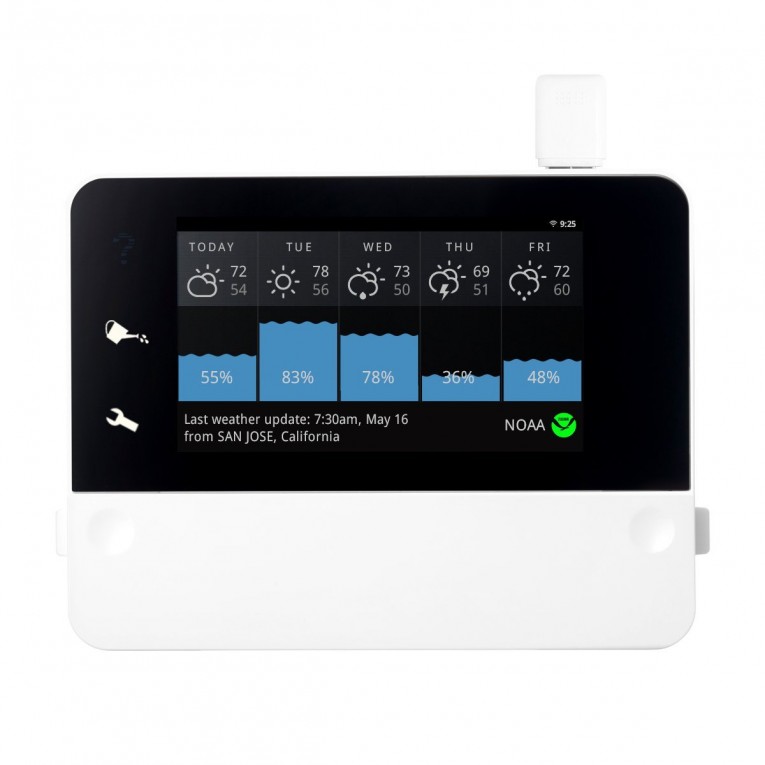
    The RainMachine unit contains a 6.5″ touch screen Android-powered display that really gives it a leg up on its competition; this also makes setup very simple without having to mess with tiny dials or buttons that generally offer slow performance. After connecting your zone wires and common wire, you’ll authenticate your Wi-Fi then move onto entering your address. The reason for entering your address is what makes the RainMachine a forecast sprinkler, it immediately syncs up with NOAA weather service so it can properly forecast and adjust its sprinkler time based on how much rain it’s predicting. Say NOAA is expecting rain on Thursday, RainMachine will determine how much rain you will receive then adjust its watering habits based on that data, for instance maybe it’ll only produce 26% of its normal irrigation based on that data saving you buckets of money. Also, for those of you who don’t NOAA, they are the real deal when it comes to weather forecasting, but just in case the device utilizes several data sources for increased accuracy. What does all this mean to you? This means a reduction of up to 25-50% of your irrigation water allowing for the unit to pay for its self within 2 years.

    [quick_offer id=1439]

    A few other great features we came across in our RainMachine HD-12 Forecast Sprinkler Review is its ability to update its own firmware over the Wi-Fi making those days of USB updating or direct connection updating a thing of the past. Another amazing feature is the ability to access your unit remotely, no more having to go out to the shed or garage every time you want to make a change. This can be done through both your desktop computer and mobile device. The mobile app allows you to set zones, watering times, view your watering history, check your watering forecast, and update some basic settings. The app especially comes into use for when you want to walk around your yard and manually activate zones to check for damaged sprinkler heads. You can also access the on-board web-server within RainMachine through your desktop computer if you don’t want to fiddle with the touch screen.

    61XV+UNh5wL._SL1200_

    All together the RainMachine HD-12 Forecast Sprinkler is currently the number one choice for users that are looking for a smart irrigation control, although it’s just a matter of time till we get a system that’ll offer the same feature but is Z-Wave compatible. Hopefully soon.

    Amazon User Reviews:

    [wpsm_specification]

    [review]
  • Ring Wi-Fi Enabled Video Doorbell Review

    Ring Wi-Fi Enabled Video Doorbell Review

    The Ring Wi-Fi Enabled Video Doorbell is exactly what the name says, a doorbell that streams video that is built by BOT Home Automation. In short, we like it and many users that have made the purchase have had a lot of nice things to say. On the other hand it does have its short comings.

    Setup

    After you purchase ring you will be pleasantly surprised to see it comes with everything necessary for installation including tools, drill bits, tiny level and even caulk. When installing Ring you have two options, battery powered that will need to be recharged once a year or hard wired which taps into your existing doorbell wiring (this is recommended). Now some user reviews have shown that the battery quickly dropped 3-4% after just a few hours of use leaving skepticism on the promised 1 year battery life, but after much research we haven’t found a single case of the battery falling short on performance. We believe this hit is mostly from setup and people playing with their fancy new video toy. One power saving feature Ring included is making sure the device only connects to your network when it is in use, cutting down on unnecessary juice and Wi-Fi bandwidth. Continuing with the setup it’s now time to install your Ring app, create an account, pick a device and confirm your address. Afterward you’ll be instructed to push the orange button on the back of the faceplate to link the device to your network marking the completion of your Ring installation. All together setup generally takes 5-15 minutes depending on if you hard wire or use batteries.

    [quick_offer id=1436]

    Hardware and Features

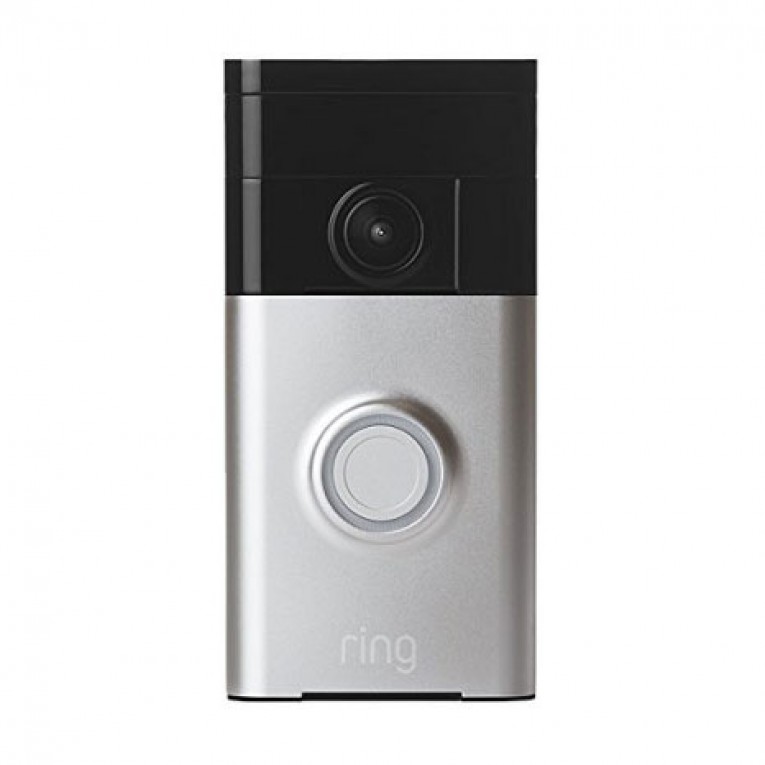
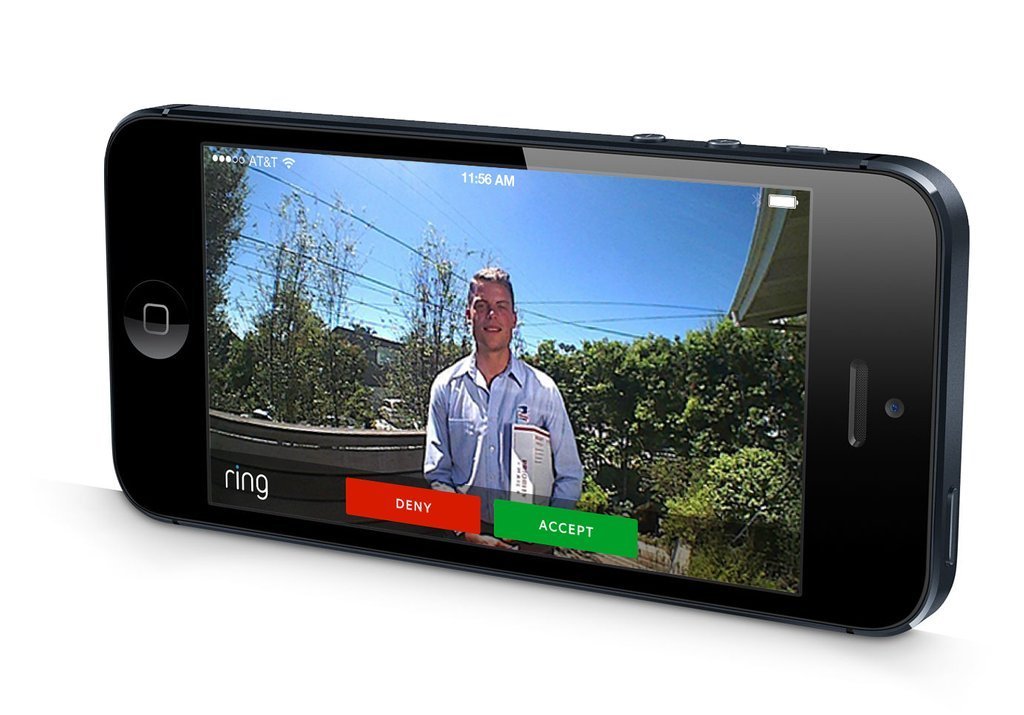
    Once installed you will see why so many people like this device. Located near the top sits the 180-degree HD camera that delivers Ring’s 720p video stream. Next to the camera you now have a motion sensor giving you the ability to stream a live audio and video feed whenever someone is at your door without having to wait for them to push the button, which also makes a great security feature. Along with the motion sensor you have the option of setting the sensitivity for different zones anywhere from 5-30 feet. You will find the importance of this feature after you get a few false alarms from your motion detector. Below the camera and sensor you have your round LED light surrounding your doorbell button making it easy for your guest to find at night. In addition you also have speakers built into the bottom of the device allowing you to listen to your guest and respond back if need be with clear audio coming in and out for both you and your visitor.

    61V96XPSZfL._SL1024_


    Now the Ring Video Doorbell comes with the option of cloud storage for your video that will run you $3 a month or $30 a year if you choose to use it. BOT Home Automation also stresses that they stand behind their product with a lifetime purchase protection that replaces your device in the off chance it were to get stolen. One thing we do recommend when purchasing this product is that you have a strong Wi-Fi connection leading up to your door. Some users have reported a delay between ringing the doorbell and the push notification reaching your smart phone, some delays lasting up to 5-30 seconds. This can be avoided with a strong signal and some recommend that hard wiring the device also helps. We also would have liked to see more integration with smart home hubs and maybe an IFTTT channel which the folks at Ring say they are looking into for the future. More features to be expected in the future are weather sensors to collect data like temperature, humidity and barometric pressure. For $199 we still think Ring is a great purchase simply because of the added value you get from the security features alone, but if Bot sticks with their promises of improvements in future roll outs then this definitely has the potential to be a grand slam.

    Amazon User Reviews:

    [wpsm_specification]

    [review]